Thursday, February 26, 2015

Class 6, Assignment 8

Everything I did can be found at http://JiED.org​ and https://playcanvas.com​


Here I visited the link  http://JiED.org​ and played with the rubix cube. The instructions were very simple and straight forward. Although with a few clicks it easily got messed up and I got lost.

Next we had to do the https://playcanvas.com​ games.

This game is called Asteroids. You move around using the arrows keys and use the space bar to shoot and destroy the asteroids. The spaceship moved around as if it were actually in outer space.

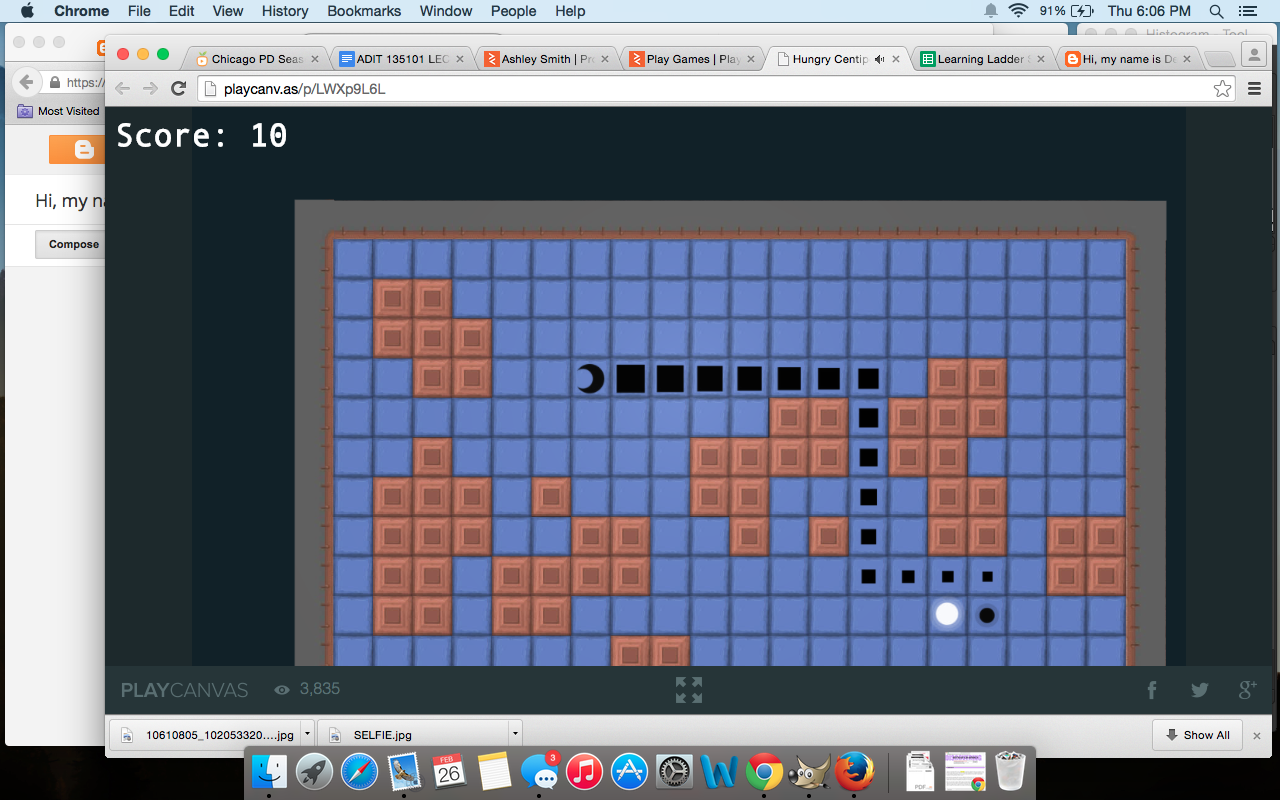
 This game is called hungry centipede. It kind of seems like a knock off of the classic game "snake" with a couple twists to it.
This game is called winter blast. You move around using the arrow keys and use the mouse to shoot. You have to shoot the snowmen before the get you. Each wave you get through is a new level. The game was okay, but it was hard to maneuver. 

Class 6, Assignment 6

I watched the concept of The Exquisite Forest.

I registered to the Exquisite Forest, but when I went to start a new tree it stated, "As of August 1, 2014, new submissions to This Exquisite Forest are closed" and therefore I cannot make a tree. This is a screenshot of my attempt at making a tree.

Class 6, Assignment 4

Here are the progress screenshots of me adding everyone's blog to my sidebar.


Here's everyone's blog added to my sidebar.


Midterm #8


This is before using any of the smudge or blur tools.

This is me beginning with the blur tool.

I zoomed in for accuracy removing dark lines.

This is the final product. I removed dark lines from under my eyes and also removed some smile lines. I was careful not to do too much so it didn't look too unnatural.


This is using GIMP tools to edit a photo of myself and make it look better. It is a midterm (or final, if it's a final) exercise from the Immersive Education course that I am taking at Boston College. The course is called Discovering Computer Graphics. For details, visit the immersive BC portal at http://ImmersiveEducation.org/@/bc

Midterm #7

Here are screenshots of my progress throughout Midterm #7 with Taylor Kinney my fav firefight from the show Chicago Fire.


I opened the logo, used the ellipse selection tool and copied the image and then replaced his eyes using the brush.

The rectangle selection tool was used to make a black bow at the bottom of the picture. It was the filled with BG color.

Here is where I added text and changed the color and size of each line.

Here is my final product in the JPEG version. I also saved it as a PSD, but it failed to upload to blogger.


This is me using GIMP to edit and add layers to a photo of Taylor Kinney. It is a midterm (or final, if it's a final) exercise from the Immersive Education course that I am taking at Boston College. The course is called Discovering Computer Graphics. For details, visit the immersive BC portal at http://ImmersiveEducation.org/@/bc

Thursday, February 19, 2015

Susan B. Anthony GIMP

First I changed the background color to gold and added stars
Then I drew the face and begun to add words
I finished up adding the words.
This is the final product after exporting.

Susan B. Anthony Word Doc

First I drew a circle and added a gold gradient
Then I added words and drew the face
Then I added stars using the star shape.
This is the final product after exporting